Restaurant Empire 2 version 1.24 Beta is now available
2026-09-21Restaurant Empire 2 version 1.24 Beta Character Path System Improvement: • Captains and servers no longer aim for the same spot when they serve the same table at the same time. A dining chair has two places a staff member can stand, one on each side of the seated customer - but the game used to send every staff member to the same side. For example: if the captain walked up to take an order while a server was carrying food to that table, both headed for the same spot, and could get stuck pushing against each other there - sometimes blocking a walkway and holding up other customers too. Now the captain approaches one side of the chair and the server approaches the other, so they can both do their job without getting in each other's way. Offer Favorite Food Special Order Improvement:
Read the full notes
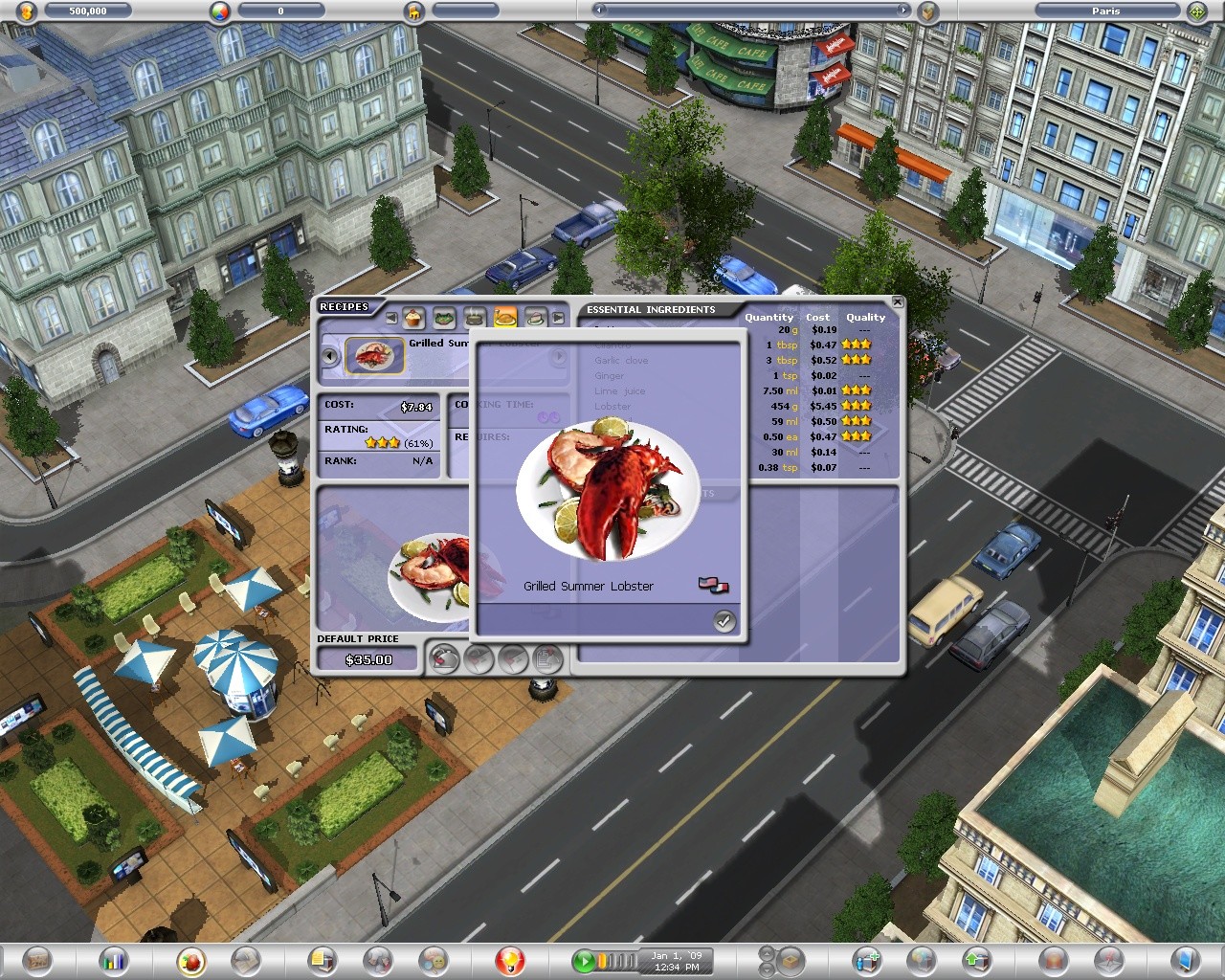
• Offering a favorite food to a customer no longer makes the chosen chef cook that dish forever. Before, one special order turned into a permanent rule: the game remembered the chef as "the chef for that recipe," so every order of that dish - from any customer, at any table - had to wait for that one chef, even if other chefs were free or better at cooking it. For example: if you asked Chef Mario to cook a special lobster dinner for one customer, Mario became the only chef allowed to cook that lobster for everyone, until you removed him by hand. Now the chef you pick cooks just that one special order, and then the game forgets the choice: the next time anyone orders the same dish, it goes to whichever chef is free and best at it, exactly as if the special order had never happened. So the sequence for a player is: • You offer the lobster dinner to a customer and pick Chef Mario. • Mario cooks that one lobster order. • Done - the recipe is normal again. The next lobster order goes to whatever chef the game would pick for any regular dish (best available, or your deliberate Chef Assignment pick). • Stocked ingredients picked in the offer panel are now spent on that one special order instead of on every later order of the recipe until they ran out. For example: if you gave Chef Mario your best truffles for the special order, the game used to keep cooking with those truffles every time anyone ordered that dish, until your truffle stock was gone. Now the truffles are used only for that one special order - and they still make that dish better for the customer who got the offer, as before. • An offer can no longer overwrite a chef or ingredients you deliberately assigned to a recipe through the Chef Assignment panel. For example: if you had set Chef Luigi as the permanent chef for your signature steak, then offered that steak to a customer with a different chef, the offer used to quietly replace Luigi. Now your deliberate assignments stay exactly as you set them. Showing the cuisine icon of the customer's favorite food: • The customer panel now shows the cuisine icon of the customer's favorite food, below the favorite food's name - the same flag icons the recipe menu already uses (American, French, Italian, German, Coffee and Dessert). If a dish belongs to more than one cuisine, all of its icons are shown, and hovering over them brings up a "Cuisine Type" tooltip listing them. Background Music Improvement: • Background music now restarts sooner after it stops. During normal play - on the city map and inside your restaurants - the game only started a new music track when a fixed timer came around (every three minutes inside a restaurant), so when a track ended or was cut short you could be left in silence for minutes. Now the game checks once a minute whenever no music is playing and starts a new track. While music is playing, the pacing between tracks is unchanged. Added an R-key shortcut for rotating items while placing them: • You can now press R to rotate an item while choosing where to place it. Before, the only way to turn a piece of furniture was to hold the left mouse button and drag in the direction you wanted it to face. Each press of R turns the item 90 degrees clockwise. This also works while placing a table set, and while moving an item you have picked up. Wall items still turn to face the wall you point at, as before. To install Restaurant Empire 2 Beta Version 1.24 on Steam: Right-click Restaurant Empire 2 in your Steam Library and select Properties. In the window that opens, go to the Game Versions & Betas tab. Select Beta. Leave the access code field empty, as no code is required. Close the Properties window. Your Steam library will now show the game as Restaurant Empire II . Install or update the game, launch it, and you should see Version 1.24 displayed at the bottom of the main menu.